


Headshot retouching elevates a good photo into a polished, professional-grade portrait that meets client expectations.
Clients hiring a photographer for business portraits, acting headshots, or corporate branding expect refinement that matches industry standards.
It is part of the professional service a working photographer offers. A finished headshot should communicate competence, confidence, and clarity while maintaining authenticity.
Clean and professional retouching enhances reality rather than replacing it. Natural skin texture remains visible. Facial structure stays intact.
Expression remains truthful. Professional results prioritize subtle improvements over dramatic alterations.
Viewers should focus on the subject’s presence, not on visible editing.
Preparing the Image

Strong retouching begins long before any healing or smoothing tools are used. Preparation determines how natural and controlled the final portrait will look.
Careful foundational work reduces the need for heavy corrections later and supports a clean, professional finish.
RAW Workflow
Working with RAW files provides maximum control over exposure, white balance, dynamic range, and tonal balance.
Greater bit depth allows smoother transitions in skin and prevents banding in highlights and shadows.
Solid foundational adjustments create the base for all detailed retouching.
Before opening Photoshop, several essential corrections should be completed in a RAW processor:
- Adjust overall exposure so skin tones sit in a healthy midtone range without clipping highlights
- Recover highlight detail in bright areas such as foreheads and cheeks
- Open shadows carefully to retain depth without flattening facial structure
- Correct white balance to maintain accurate, natural skin color
Accurate white balance plays a critical role in professional headshots. Skin tones must look consistent across the frame.
Uneven color casts in shadows or highlights should be corrected at this stage rather than later in retouching.
Additional early refinements improve efficiency:
- Apply lens corrections to fix distortion and vignetting
- Remove chromatic aberration along high-contrast edges
- Perform minor cropping and straightening to define composition
Retouching should build on a balanced image rather than compensate for poor initial corrections.
Clean tonal structure makes advanced techniques like frequency separation and dodge and burn more precise and controlled.
Non-Destructive Editing
Professional workflow requires flexibility. Non-destructive editing protects image quality and allows revisions without degrading detail.
Original layers remain untouched while all adjustments sit on separate layers.
Effective file organization often includes the following structure:
- Base corrections and global adjustments
- Skin retouching group
- Hair cleanup group
- Eyes and teeth adjustments
- Clothing and background corrections
Layer masks allow selective adjustments without permanent changes. Opacity and fill sliders help maintain subtlety in every correction.
Smart Objects can also be used when applying filters to preserve editability.
Organized files reduce mistakes and make client revisions more efficient.
Clear labeling and logical grouping save time and maintain consistency across multiple headshots in a session.
Core Retouching Techniques – Subtle and Professional
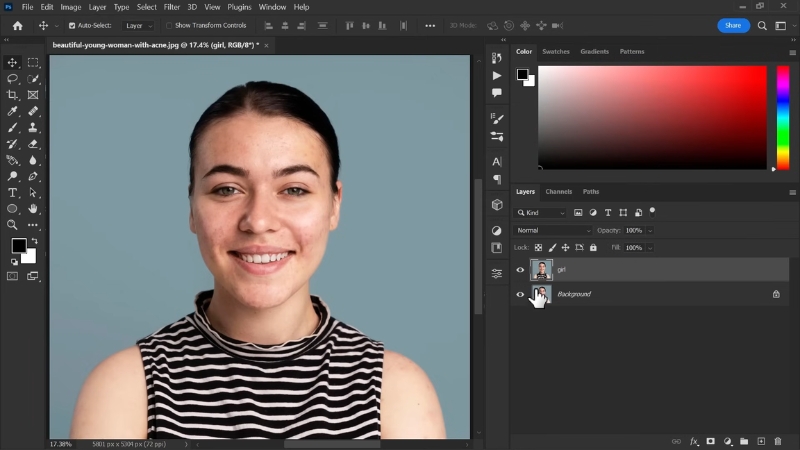
Refinement should enhance clarity and polish while maintaining authenticity. Techniques used in professional headshot retouching rely on restraint and precision rather than dramatic transformation.
Skin Refinement
Skin is often the most scrutinized area in a portrait. The goal is to create clean, even tones while preserving texture and character.
Blemish Removal
Healing Brush and Spot Healing tools remove temporary imperfections such as acne, scratches, or small distractions.
Sampling nearby texture ensures seamless integration. Short, controlled strokes maintain natural variation in skin.
Permanent features such as freckles, moles, or scars that define identity should remain unless a client specifically requests removal. Clean skin should still look human, not artificially perfected.
Skin Smoothing
View this post on Instagram
Frequency separation separates texture from color and tone. Lower frequency layers contain color and luminosity information.
Higher frequency layers retain fine texture, such as pores and micro detail.
Proper application involves:
- Smoothing uneven tones on the low-frequency layer
- Preserving pore detail on the high-frequency layer
- Working at low opacity to prevent over-processing
Careful brushwork avoids flattening facial structure. Aggressive smoothing leads to a plastic finish that damages credibility and distracts viewers.
Dodge and Burn
Selective dodge and burn adds depth and dimension by refining light transitions. Rather than reshaping features, the technique enhances what already exists.
Common applications include:
- Softening dark circles under the eyes
- Evening out blotchy areas
- Refining highlight transitions on cheeks and forehead
Low flow settings and gradual build-up produce natural results. Subtle tonal adjustments maintain realism while improving clarity.
Facial Feature Enhancements Without Overdoing
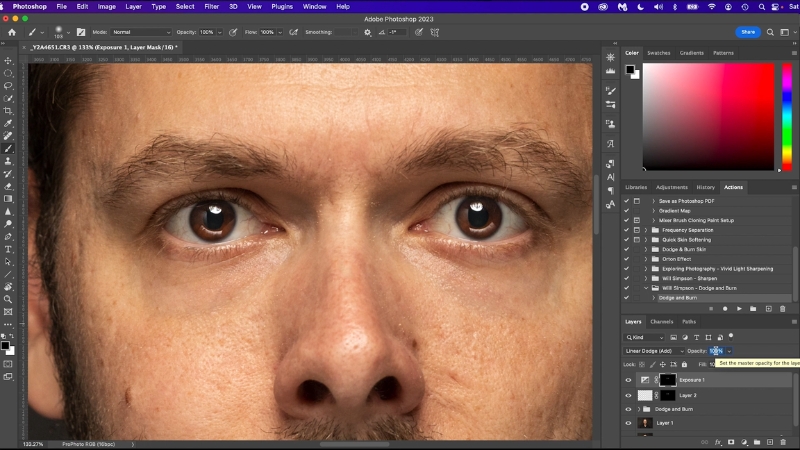
Facial features define expression and identity. Enhancements should draw attention to natural strengths without creating exaggerated effects.
Eyes
Eyes often become the focal point of a headshot. Brightening the whites slightly can add freshness.
Adjustment layers with masked selections allow precise control.
Refinements often include:
- Reducing redness or discoloration in the sclera
- Enhancing iris contrast subtly
- Applying mild sharpening only to iris detail
Avoid over-whitening or extreme contrast that creates glare. Natural catchlights should remain intact to preserve authenticity.
Teeth
Teeth correction should focus on gentle color balance adjustments. Slight desaturation of yellow tones often produces natural improvement.
Aim for:
- Soft brightness adjustments
- Retention of subtle tonal variation
- Avoidance of pure white uniform color
Even tones should maintain depth so the smile looks realistic rather than digitally altered.
Preserve Identity
Professional portrait retouching should not reshape facial structure or alter defining characteristics.
Some clients might also explore real-world cosmetic options such as Sculptra 2 Vials to naturally restore facial volume through collagen stimulation, complementing the subtle enhancements achieved in professional retouching.
Natural asymmetry contributes to authenticity. Jawlines, nose shape, and facial proportions should remain consistent with reality.
Subtle refinement supports confidence without changing who the person is. Recognition and authenticity must remain intact.
Hair Cleanup Essential for Polished Headshots
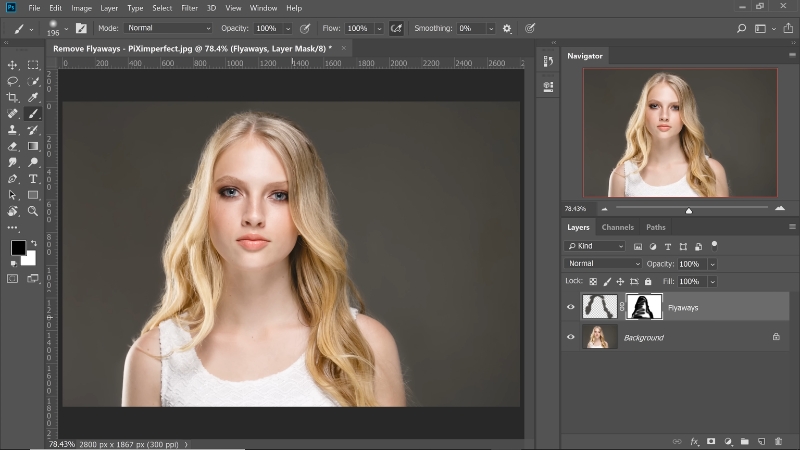
Hair frames the face and strongly influences perceived professionalism. Flyaways and stray hairs can distract viewers and reduce visual focus.
Careful cleanup strengthens polish without creating an artificial appearance.
Techniques
Different tools apply depending on the complexity of the area. Spot Healing works well for minor stray hairs against simple backgrounds.
Clone Stamp helps with more complex corrections, especially when hair overlaps important facial features.
Effective hair cleanup includes:
- Zooming in closely to maintain control around the hairline
- Sampling nearby texture to maintain consistency
- Working on a separate empty layer set to sample current and below
Small strokes preserve natural transitions. Avoid large sweeping corrections that erase volume or create harsh outlines.
Maintain Realism
Perfectly smooth hair rarely looks natural. Retain organic flow and texture. Remove distractions while preserving shape and movement.
Subtle restraint keeps the final result believable and professional.
Clothing, Background, and Distractions

Attention to secondary elements enhances overall polish. Clothing and background influence how clean and professional the portrait appears.
Clothing
Wrinkles, lint, and stray threads can be minimized using healing and cloning tools. Texture must remain consistent to avoid flat or artificial surfaces.
Corrections often include:
- Reducing small wrinkles that catch light
- Removing dust or lint visible at high resolution
- Cleaning minor stitching distractions
Over-smoothing fabric removes realism and depth. Natural folds that support form should remain.
Background Cleanup
Background distractions weaken focus on the face. Minor blemishes, uneven tones, or small objects near the subject should be removed carefully.
Common adjustments include:
- Smoothing minor tonal inconsistencies
- Removing sensor dust spots
- Cleaning edges where the background meets the hair
Clean backgrounds reinforce professionalism and maintain visual clarity.
Color Grading and Finishing Touches
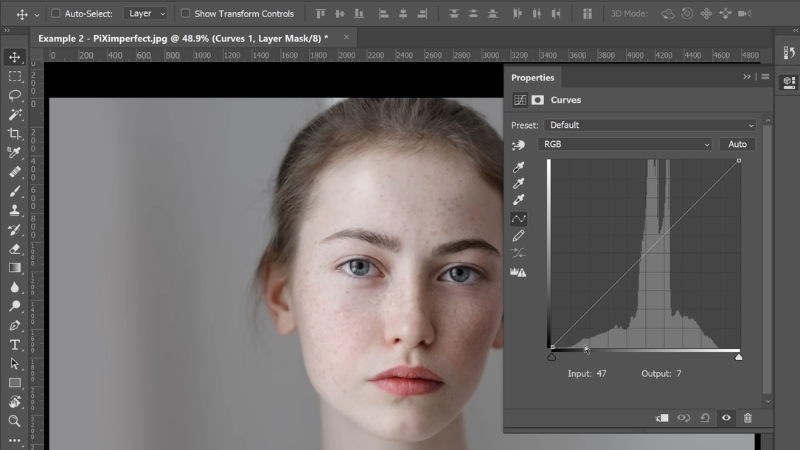
Final adjustments unify the portrait and prepare it for delivery. Consistency and restraint remain key throughout this stage.
Color Balance
Adjustment layers such as Curves and Color Balance harmonize hues across skin, hair, and background.
Small shifts in midtones often produce the most natural improvements.
Skin tones should remain believable under both studio and natural lighting conditions. Careful monitoring of red and yellow channels prevents unnatural shifts.
Contrast and Depth
Light contrast adjustments add dimension without creating harsh transitions. Controlled highlight and shadow refinement enhances depth while preserving softness in skin.
Global adjustments should be subtle. Local contrast techniques can refine facial features gently without exaggeration.
Output Optimization
Sharpening must match the intended medium. Screen display requires different settings than print output. Over-sharpening exaggerates texture and creates halos.
Final preparation typically involves:
- Applying output sharpening on a merged copy
- Converting to the correct color profile for delivery
- Reviewing the image at 100 percent zoom to confirm texture retention
Careful review ensures consistent tonality and professional finish.
In Conclusion
@prographic33 Photoshop 2025 Tips – How to Retouch Portraits Like a Pro #Photoshop #photography #design #photographer #ducthangds #illustration #blendertools #photoshoptricks #photoshopskills #photoshoptutorial #photoshoptips #graphicdesign #graphicdesigner #branding #photo #designer #graphic #logochallenge ♬ original sound – Pro Graphic
Professional headshot retouching requires technical skill and artistic restraint.
The goal is not to create a different person but to present the subject at their best in an authentic and polished manner. Confidence and clarity should define the final portrait.
Careful use of frequency separation, subtle dodge and burn, and precise hair cleanup elevates an image while preserving its truth.